
myChevrolet
General Motors (GM)Lifestyle
4.646.27K Reviews
- Version
- 8.21.0
- Installs
- 10.00M
- Age Rating
- Everyone
Screenshots
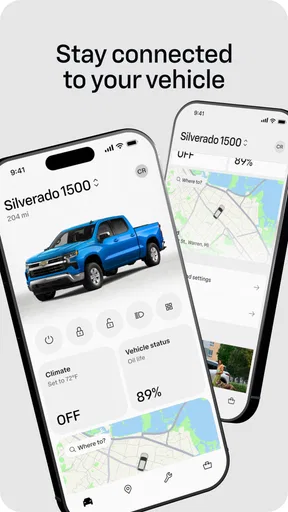
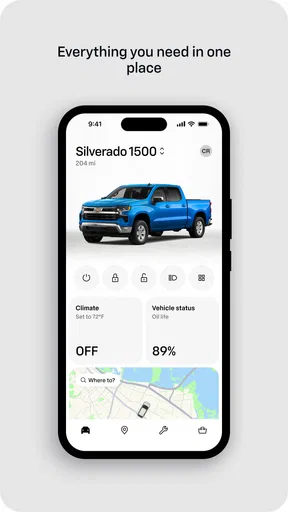
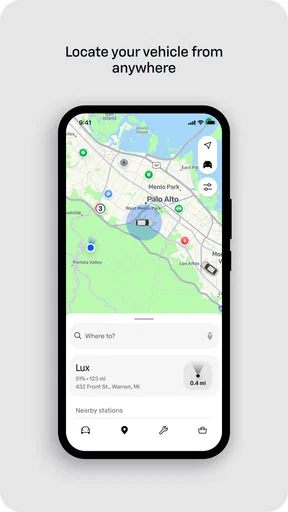
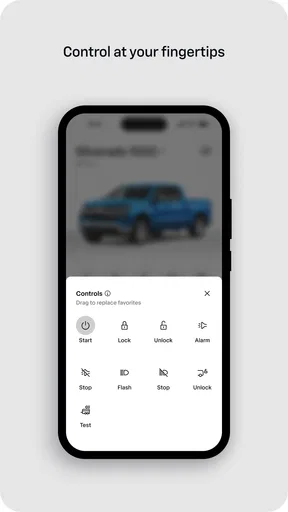
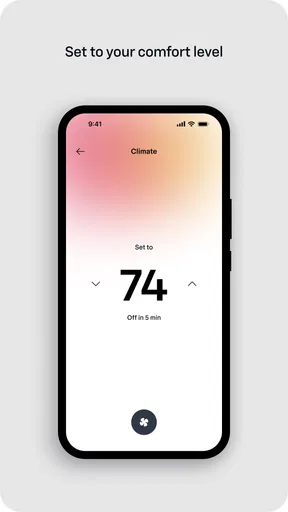
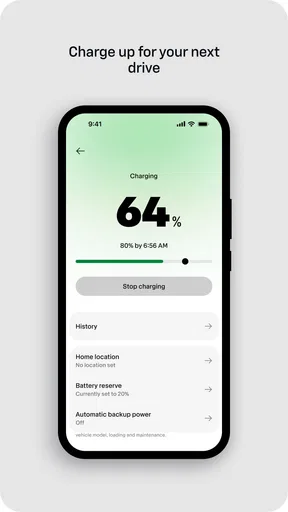
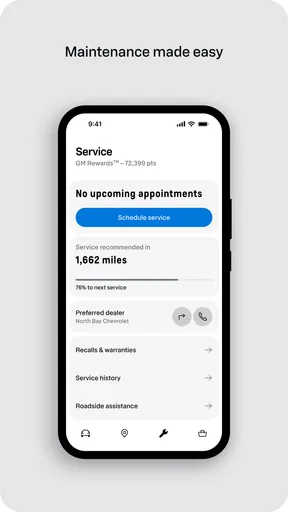

Our Review of myChevrolet
 Analysis by Appyee
I found myChevrolet most useful when I treated it as a connected companion to a Chevrolet vehicle rather than as a general lifestyle app. Its purpose is practical: bring ownership-related tasks into a phone, reduce the need to remember every detail manually, and make vehicle information easier to reach while I am away from the driver’s seat. That focus makes it appealing to Chevrolet owners who already expect their car and phone to work together.
Developed by General Motors, this free Lifestyle app has been around since October 27, 2010, and its long presence is reflected in its broad adoption. It has passed 10 million installs, carries a 4.6 average from roughly 314 thousand ratings, and has about 46 thousand written reviews. Those figures do not make it perfect, but they do suggest that it has become a familiar part of ownership for a large number of drivers.
How connected ownership feels in everyday use
The main thing I noticed is that the experience depends heavily on communication between the app, GM’s services, and the vehicle. When that connection is working, the phone becomes a convenient window into ownership. When it is delayed or unavailable, the app feels much less useful because many of its most meaningful tasks are tied to current vehicle information or remote communication.
That is an important distinction from a simple notes app, maintenance checklist, or digital manual. Those tools can still be useful with information already stored on the phone. myChevrolet is more valuable when it can retrieve or send something related to the vehicle. I would therefore judge it less like a standalone utility and more like a bridge between a Chevrolet owner and the car’s connected services.
Where the app earns a place on the phone
For me, the strongest use case is reducing small ownership interruptions. Instead of walking back to the vehicle to check something or relying entirely on memory, I can start by opening the app and looking for the relevant vehicle information. That is especially handy when the car is parked away from home, when several people share it, or when I am preparing for a trip and want to organize details before leaving.
A realistic example is a cold morning in a large parking area. I may not remember exactly where I left the Chevrolet, and I may want to interact with the vehicle before reaching it. A connected app can make that situation less awkward than searching through old messages, paperwork, or a glove-box manual. The benefit is not dramatic every day; it is the removal of little moments of friction that become noticeable over months of ownership.
I also like the idea of using the phone as a first stop when I am away from the car. If I am at work and need to think about an ownership task, opening the app is more convenient than waiting until I return to the vehicle. That convenience is strongest for people who already use their phone as their main organizer and want vehicle information alongside calendars, maps, and communication tools.
Why the network matters more than it first appears
The connected design also creates a trade-off. A request involving the vehicle cannot be judged only by how quickly the screen responds. The phone needs to communicate outward, the service needs to process the request, and the vehicle needs to receive or report information. A slow result may come from any part of that chain, so I try not to tap repeatedly when something appears delayed.
That habit is more important than it sounds. Repeating a remote request can create confusion about whether the first attempt worked, particularly when the interface has not yet reflected a change. My practical advice is to submit once, wait for a clear response, and then check the vehicle or app status before trying again. This is one of the less obvious adjustments required by a connected vehicle app.
It also means I would not rely on the app as the only way to handle something urgent. If I am standing beside the car, using the physical key or the vehicle’s own controls is usually more direct. If I need immediate certainty, I prefer a method that gives me a visible, physical confirmation. The app is most comfortable for convenience tasks, not for replacing every traditional interaction.
Using it in real mobile situations
The phone context changes how useful the app feels. At home, I may have time to wait for a connection or investigate a status. In a crowded parking lot, I want a short path from opening the app to understanding what is happening. On a trip, I care more about preparation and reassurance than about exploring every screen.
I found it helpful to open the app before I actually need it, especially when I know I will be away from the vehicle. That gives the service a chance to load and lets me notice whether the vehicle information appears current. It is a small preparation step, but it avoids discovering a connection problem while standing in the rain or rushing to leave.
Another useful routine is keeping the app’s vehicle context accurate when more than one Chevrolet is involved. Families sometimes share cars, and a person may use a different vehicle from one day to the next. In that situation, I would slow down before sending any vehicle-related request and confirm that I am looking at the intended car. The convenience of remote access is not worth acting on the wrong vehicle.
For drivers who spend much of their day moving between locations, the app can be more useful than a paper folder because information travels with the phone. For drivers who rarely use a smartphone or dislike account-based connected services, the same design may feel like an unnecessary layer. The question is not whether the app has value in theory; it is whether phone-based access fits the way you already manage your car.
What happens when the connection is slow or fails
Connected apps deserve a different kind of review because failure is part of the experience. I do not expect every request to feel instantaneous, but I do expect the app to help me understand whether a request is pending, completed, or unsuccessful. When that status is unclear, confidence drops quickly.
My recovery approach is deliberately simple. First, I check whether the phone itself has a working connection. Next, I close and reopen the app if the screen appears stuck, then I give the request time rather than sending several copies. If the vehicle is nearby, I verify the result directly. This workflow avoids turning a temporary delay into a chain of contradictory commands.
There is also a useful boundary between app problems and vehicle problems. If the app cannot load current information, I treat that as a communication issue instead of assuming the car has suddenly changed condition. If the app reports something that matters for safety or drivability, I would confirm it through the vehicle, the owner documentation, or an appropriate professional channel rather than making a decision from one phone screen alone.
That caution is especially relevant for new owners. The app can make ownership feel more manageable, but it should not replace learning the physical controls, warning indicators, and basic procedures in the Chevrolet itself. I see it as an additional access point, not as a substitute for understanding the car.
One practical weakness is that a connected workflow can make a simple task feel more complicated when the service is unavailable. A physical key does not ask me to diagnose a network delay. The app’s advantage appears when I am away from the vehicle or want information in one place; its disadvantage appears when I am right beside the car and need an immediate, dependable action.
Being sensible about mobile data and battery
I would not describe myChevrolet as an app I need to watch constantly. Its value comes from purposeful checks, not from leaving it open all day. I prefer opening it when I have a clear reason: before leaving, after parking somewhere unfamiliar, or while planning an ownership task. That approach keeps the app from becoming another source of background distraction.
Data-conscious users should adopt the same habit with any connected vehicle service. Avoid refreshing repeatedly just because a status has not appeared immediately. Repeated checks rarely make the vehicle respond faster, and they can consume more battery and mobile data than a single patient request. When I am on a weak connection, I wait until I have a more stable signal if the task is not urgent.
I also think about privacy in a practical way. A vehicle app naturally relates to a specific car and the people who use it, so I would protect the account with the same care I give other important services. I would avoid signing in on a shared phone, review who has access when a vehicle changes hands, and remove old access when a family arrangement ends. These are ownership habits, not reasons to avoid the app, but they matter more than many people expect.
Battery concerns are usually less about one quick check and more about poor habits. Leaving any connected app running unnecessarily, repeatedly reopening it, or using it while the phone is already low can make the experience feel heavier. I get better results by using it as an on-demand tool and keeping the physical vehicle controls familiar.
How it compares with ordinary alternatives
The closest alternatives are not all competing apps. A driver might use the Chevrolet’s physical controls, a paper manual, a calendar reminder, a notes app, or a general vehicle-maintenance tool. Each option has a different strength. Physical controls are immediate at the car. A manual explains the vehicle in depth. A notes app is flexible. A maintenance tracker can be useful across different vehicle brands.
myChevrolet’s advantage is its relationship with a Chevrolet vehicle. It is more relevant than a generic organizer when the task involves connected ownership information, and it is more convenient than carrying every detail in paper form. The trade-off is that its usefulness is tied to the Chevrolet ecosystem and to a functioning connection. Someone who owns several brands may prefer a brand-neutral tool for records and reminders, while still keeping this app for Chevrolet-specific access.
I would also separate it from navigation apps. A mapping app is usually better for planning a route, checking traffic, or finding a destination. myChevrolet is better suited to the ownership side of the journey. Using one in place of the other would be frustrating because they solve different problems.
Who should use it and who may want something else
I would recommend it to a Chevrolet owner who likes handling practical tasks from a phone, regularly parks away from home, shares a vehicle, or wants a single place to begin when checking vehicle-related information. It is also a sensible download for someone who has just taken ownership and wants to explore the connected side of the car without immediately relying on scattered notes and paperwork.
I would be less enthusiastic for a driver who never wants remote or account-based features, has unreliable mobile connectivity, or prefers doing everything directly at the vehicle. In that case, the app may spend more time waiting and signing in than saving effort. It is also not the right replacement for a professional diagnosis, a safety decision, or a complete service record unless the owner independently keeps those details organized.
The app is free and rated for Everyone, which makes trying it low-risk from a cost perspective. It requires Android 10 or later, so owners using an older Android phone should check compatibility before planning around it. On supported devices, the current version is 8.15.0, and I would keep it updated because connected services benefit from receiving the latest fixes and compatibility work.
My connectivity verdict
After using it as a vehicle companion, I see myChevrolet as a convenience app with a clear condition: its best moments happen when the phone, service, and vehicle are all communicating properly. It does not eliminate the need for physical controls or basic vehicle knowledge, but it can make ownership feel less fragmented when I am away from the car.
The most useful mindset is to prepare before an important moment, send requests patiently, verify results when they matter, and keep a backup method available. That approach turns network dependence from a surprise into a manageable part of the experience. I would not install it expecting a universal car-management solution, but I would install it if I owned a compatible Chevrolet and wanted connected access to be part of my normal routine.
With a mature history, a large user base, and a strong average rating, the app has earned a place in the conversation around Chevrolet ownership. My recommendation is positive, with a practical qualification: use it for convenience and visibility, but do not make a phone connection your only plan when certainty or safety is involved. For the right owner, that balance is exactly what makes the app worthwhile.
Privacy and Permissions
See what permissions an app requests and how it handles your data.
- Calendar
- read calendar events plus confidential information, add or modify calendar events and send email to guests without owners' knowledge
- Contacts
- read your contacts
- Location
- approximate location (network-based), precise location (GPS and network-based)
- Phone
- read phone status and identity
- Photos/Media/Files
- read the contents of your USB storage, modify or delete the contents of your USB storage
- Storage
- read the contents of your USB storage, modify or delete the contents of your USB storage
- Camera
- take pictures and videos
- Microphone
- record audio
- Wi-Fi connection information
- view Wi-Fi connections
- Device ID & call information
- read phone status and identity
- Other
- view network connections, pair with Bluetooth devices, access Bluetooth settings, change network connectivity, connect and disconnect from Wi-Fi, full network access, change your audio settings, control Near Field Communication, run at startup, draw over other apps, control vibration, prevent device from sleeping, read Google service configuration
Verdict
Strengths of myChevrolet
- Remote vehicle controls are convenient for checking status or locking the car.
- Maintenance reminders help owners keep track of scheduled service needs.
- Roadside assistance access is useful during breakdowns or emergencies.
- Vehicle location features can make finding a parked Chevrolet easier.
- Personalized offers may help reduce costs on eligible services or accessories.
Limitations of myChevrolet
- Many features require a compatible Chevrolet vehicle and active connected services.
- Remote commands may be delayed when cellular coverage is weak.
- Some functions require paid OnStar or connected-service subscriptions.
- Battery use and background location access may concern privacy-conscious users.
- App performance can vary by vehicle model, region, and software version.
Other Releases by General Motors (GM)
View All
myGMC
Lifestyle4.6
Similar Picks in This Category
View All
SmartThings
Samsung Electronics Co., Ltd.4.6

Google Home
Google LLC4.0

Pinterest4.2

Astrotalk - Talk to Astrologer
Astrology & Horoscope4.7

My Verizon
Verizon Consumer Group4.5

Samsung Wallet (Samsung Pay)
Samsung Electronics Co., Ltd.4.1
Frequently Asked Questions
What is the myChevrolet app used for?
myChevrolet is the official companion app for eligible Chevrolet vehicles. After signing in and adding your vehicle, you can review important vehicle information, schedule service, locate dealers, view the owner’s manual, and access roadside assistance details. Depending on your model, trim, country, and connected-services plan, the app may also provide remote features such as locking or unlocking the doors, starting the engine, checking vehicle status, or locating the parked vehicle.
Does myChevrolet work with every Chevrolet vehicle?
No. The available features depend on the vehicle’s model year, trim level, installed technology, market, and whether the vehicle has an active connected-services plan. Newer connected Chevrolet models generally offer the broadest range of functions, while older vehicles may only support basic information, manuals, service scheduling, or dealer tools. It is best to check compatibility using your vehicle identification number before relying on remote features.
Do I need to pay to use myChevrolet?
Downloading myChevrolet is generally free, but some connected features may require an eligible Chevrolet vehicle, an active OnStar or connected-services plan, and a compatible mobile data connection. Basic tools such as finding a dealer, viewing support information, or accessing certain vehicle resources may be available without an additional subscription. Pricing, trial periods, and included features can vary by vehicle, country, and current Chevrolet offers.
Can I remotely start or unlock my Chevrolet with the app?
Remote commands may be available for supported Chevrolet vehicles with the required connected-services subscription and properly configured account. Depending on the vehicle, myChevrolet can allow you to start the engine, lock or unlock doors, sound the horn, or check vehicle status. Commands can fail because of weak cellular coverage, an inactive plan, vehicle conditions, or safety restrictions, so the app should not replace a physical key in every situation.
Is my personal and vehicle information secure in myChevrolet?
myChevrolet requires an account and may process information such as your vehicle identification details, location-related data, service history, and remote-command activity to provide its features. Security also depends on how you protect your login and phone. Use a strong, unique password, enable available account protections, keep the app updated, and avoid leaving your account signed in on shared devices. Review Chevrolet’s current privacy policy before activating connected services.
